You can now connect Asana directly to your workflows — making it easy to create tasks, update projects, and sync work between the software and Asana without relying on Zapier, Make, or custom webhooks.
What’s New
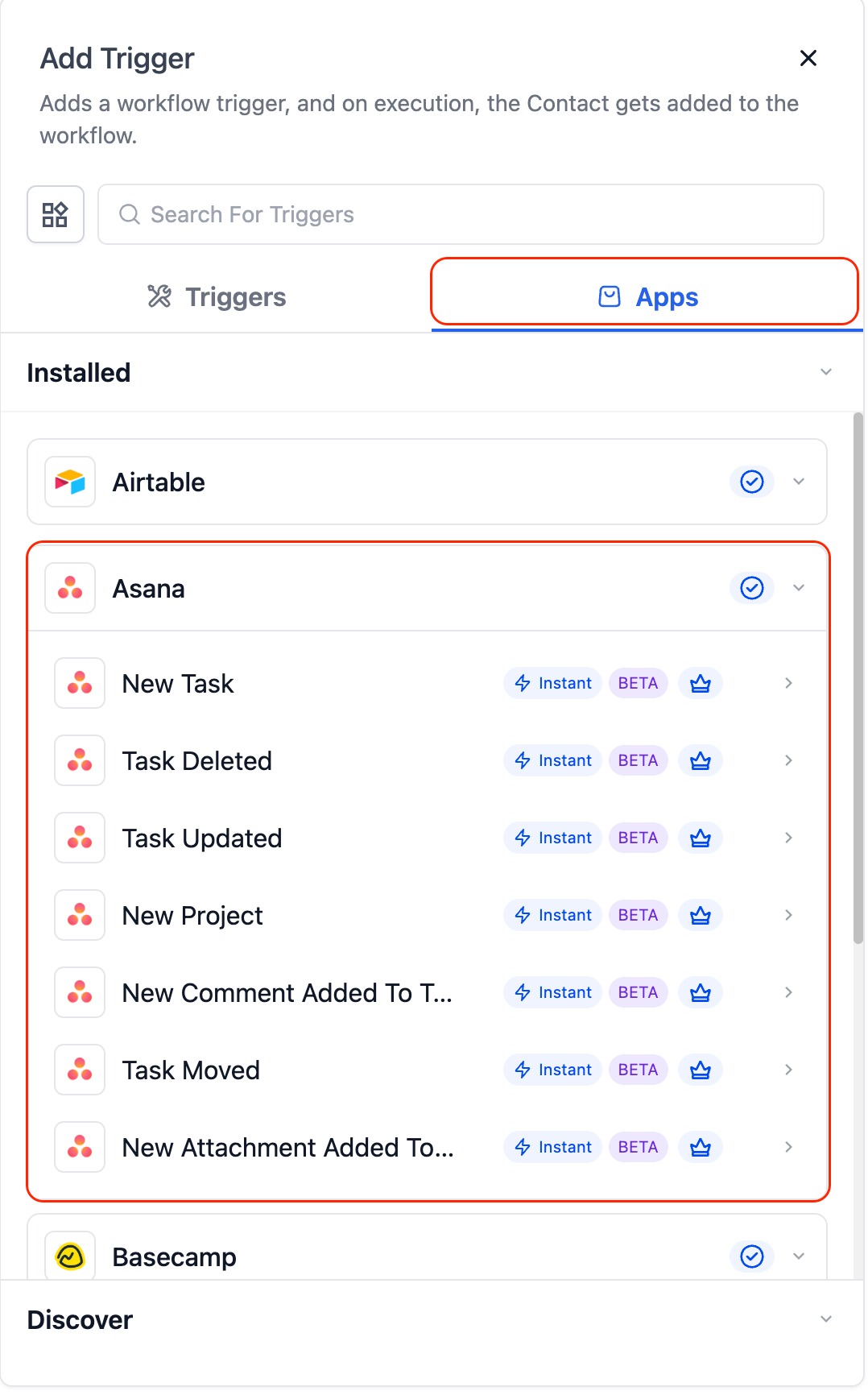
Triggers (from Asana → the software):
Instant triggers that fire the moment activity happens inside Asana:
- Task Created (Instant) – Fires when a new task is created.
- Task Updated (Instant) – Fires when a task is updated (status, fields, etc.).
- Project Created (Instant) – Fires when a new project is created.
- Comment on Task (Instant) – Fires when someone adds a comment.
- New User – Fires when a new user joins your Asana workspace.
- Task Moved to Section (Instant) – Fires when a task moves between sections.
- New Attachment Added (Instant) – Fires when a file is uploaded to a task.
- Tag Added to Task (Coming Soon) – Fires when a tag is added.
- New Subtask (Coming Soon) – Fires when a subtask is created.
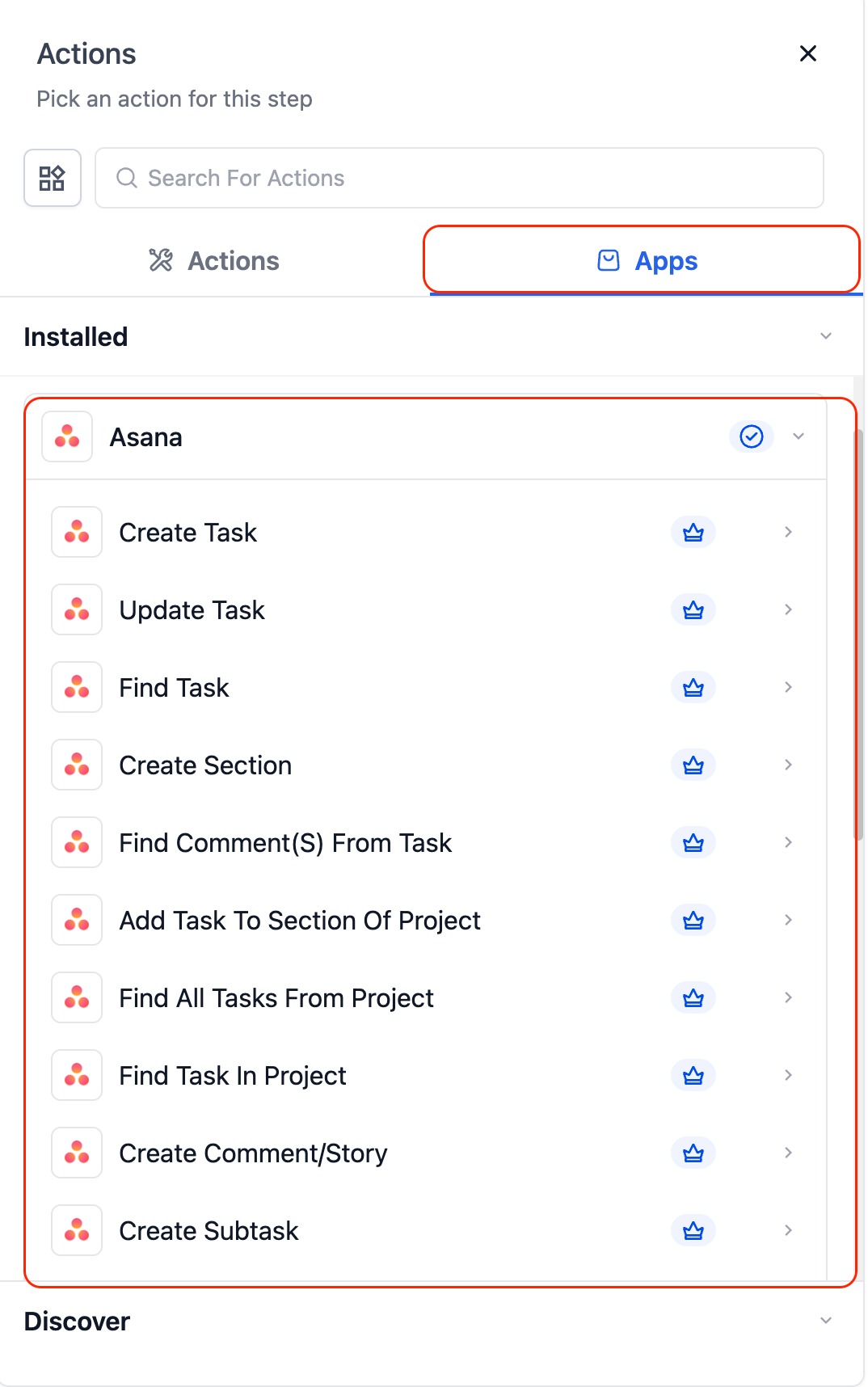
Actions (from the software→ Asana):
- Create Task – Add new tasks with name, details, due date, and assignee.
- Update Task – Modify existing task fields.
- Find Task by ID – Look up a task via its Asana task ID.
- Find Task – Search tasks by name.
- Create Section – Add a new section to an Asana project.
- Add Task to Section – Move an existing task into a section.
- Create Comment / Story – Add comments or internal notes.
- Create Subtask – Add subtasks beneath a parent task.
- Create Project – Generate new Asana projects programmatically.
- Find All Tasks from Project – Fetch all tasks inside a project.
- Find Task in Project – Locate a specific task inside a project.
- Find Comment from Task – Retrieve comments on a task.
- Find Comment by Task ID – Fetch comments using the task’s ID.
Example Use Cases
Internal Notifications
A task is updated in Asana → the platform sends a Slack or email notification to the assigned team member.
Lead → Task Creation
A new lead or form submission is received → the platform automatically creates a new Asana task with contact details and follow-up notes.
Cross-Platform Project Syncing
A new project is created in Asana → the platform syncs it to ClickUp, Airtable, or other systems to keep all platforms in alignment.
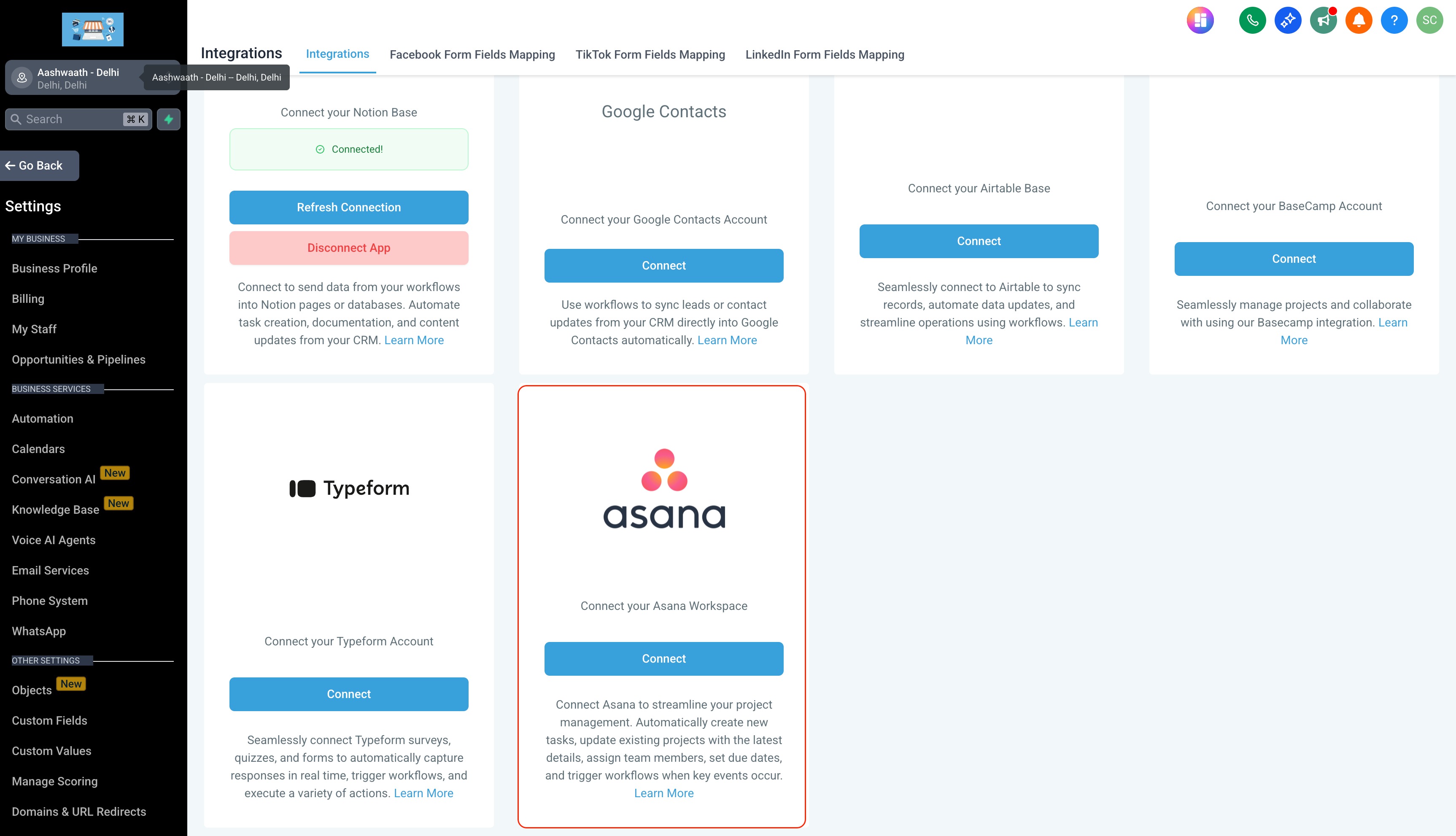
How to Connect
- In Workflows, search for “Asana.”
- Select a trigger or action → click Connect Now.
- Log in with your Asana account via OAuth.
- Or connect via Settings → Integrations → Asana.
Notes & Details
- All Asana triggers are instant — powered by real-time webhooks (no polling delay).
- Works with both free and paid Asana plans (advanced features may require paid tiers).
- Recommended: Use Fields Changed when using Task Updated to avoid cascading updates triggering unnecessary workflows.
Was this article helpful?
That’s Great!
Thank you for your feedback
Sorry! We couldn't be helpful
Thank you for your feedback
Feedback sent
We appreciate your effort and will try to fix the article