What’s new
You can now have granular control over where their Instagram Reels appears with a brand new “Share to Feed” toggle inside Social Planner. This gives you full control on whether you want to display the reel on Instagram + Reels tabs or only on Reels tab on your Instagram Profile.
Toggle Behaviour:
- ON → Reel is published to both the Instagram Feed + Reels tab
- OFF → Reel appears only on the Reels tab
Default setting: ON (Same as Current Behaviour)
Why it matters
This enhancement helps users:
- Avoid cluttering their Instagram Feed with every Reel
- Maintain consistent feed aesthetics while still posting Reels
- Choose Reel-only content strategies without manual editing
- Reduce accidental cross-posting and support requests
How it works
- Create a post in Post Composer
- Select Instagram Reel
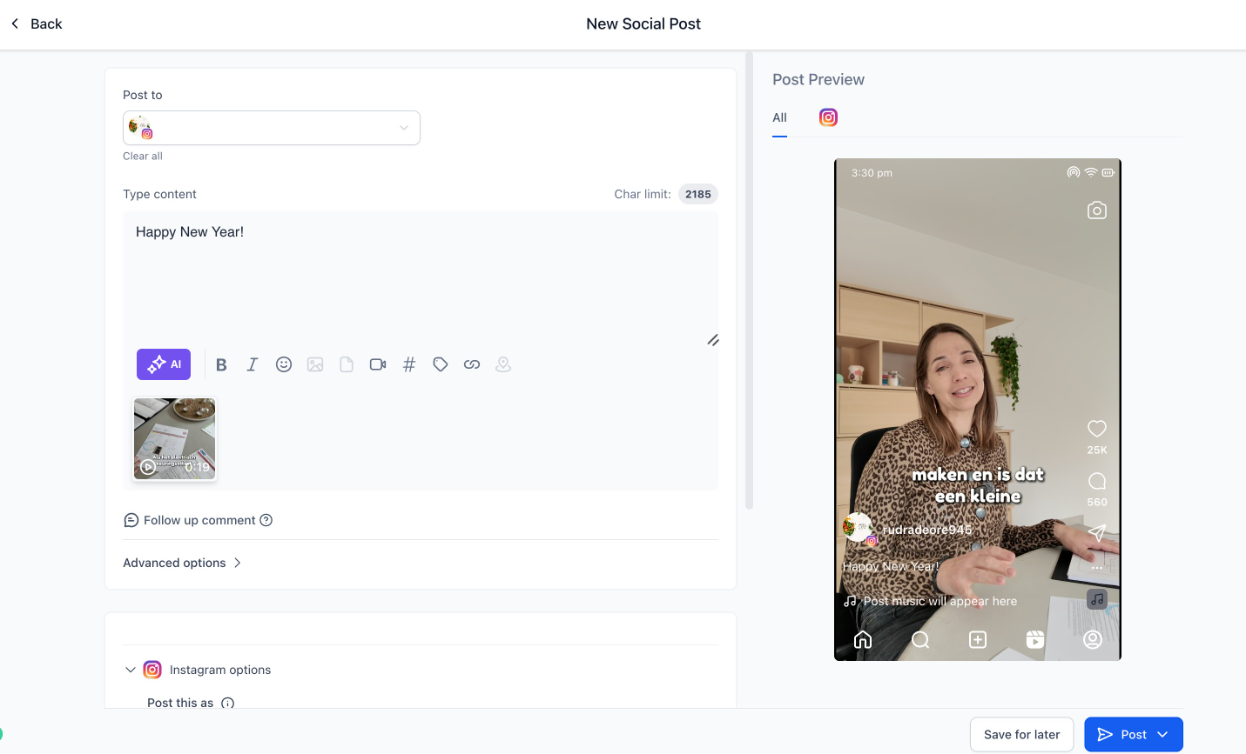
- Toggle “Show on Feed” ON or OFF

- Publish or schedule the Reel as usual
- Social Planner will post it exactly according to your selected visibility preference.
Was this article helpful?
That’s Great!
Thank you for your feedback
Sorry! We couldn't be helpful
Thank you for your feedback
Feedback sent
We appreciate your effort and will try to fix the article
