We've refined the copy and paste experience for workflow actions, making it easier to duplicate and reuse actions across your workflows.
What's Improved
Visual Paste Guides
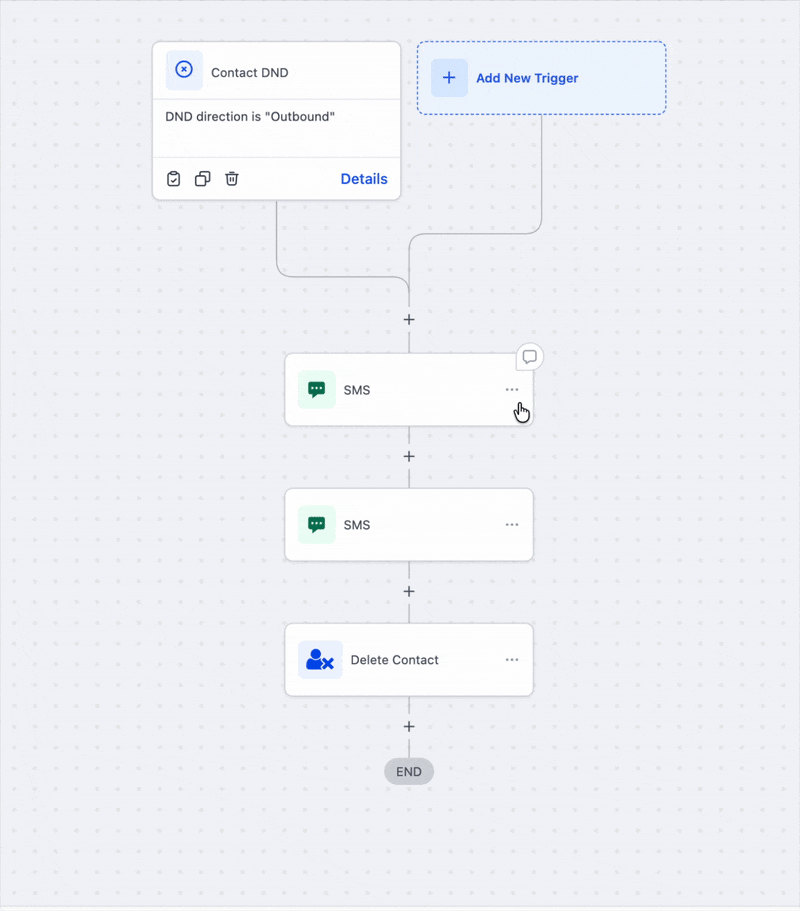
When you copy an action, clear visual cues with a glowing animation now show exactly where you can paste. These guides appear whether you're working in the same workflow, switching to a different one, or opening another workflow tab.
Quick Re-paste
Need to paste the same action multiple times? Simply hover near the plus icon to paste your copied actions again without re-copying.
Cleaner Interface
The "Actions Copied" banner now auto-hides after 8 seconds, keeping your workspace uncluttered.
Was this article helpful?
That’s Great!
Thank you for your feedback
Sorry! We couldn't be helpful
Thank you for your feedback
Feedback sent
We appreciate your effort and will try to fix the article