What’s New
We’ve upgraded the Form, Survey, and Quiz editors to give you more control, flexibility, and polish across devices. You’ll now see improved styling tools and responsive settings.
Key Highlights
- Richer inline text editor:Headings, Text blocks, and TnC now support inline formatting like bold, font sizes, and color all from a new built-in editor that’s easier to use and more flexible.
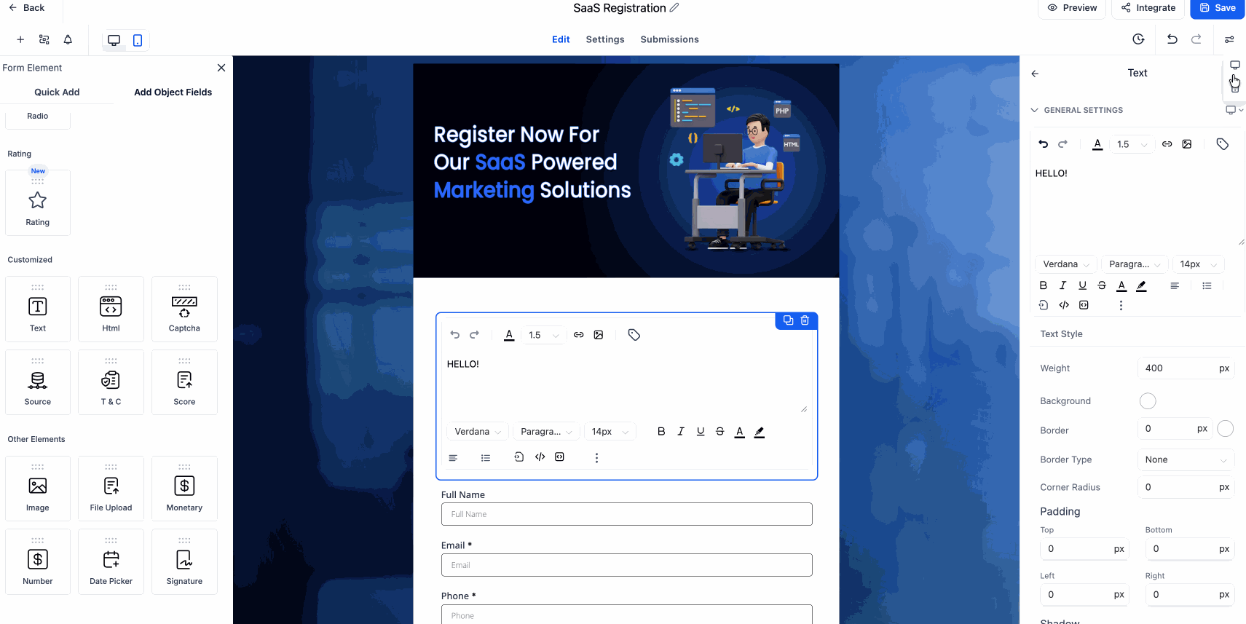
- Desktop & Mobile controls are now separate:Set unique styles for each device—Mobile changes won’t overwrite Desktop (and vice versa). This includes background color, padding, border, font weight, and more.
- Mobile-specific text content:Customize your message for mobile users with shorter headlines or alternate placeholder text ideal for improving clarity and layout on small screens.
- Live previews across editors:All updates are visible instantly in builder for Forms, Surveys, and Quizzes, so you can fine-tune the design before going live.
Where You’ll See It
- Form Builder
- Survey Builder
- Quiz Builder
- Live previews
How It Works
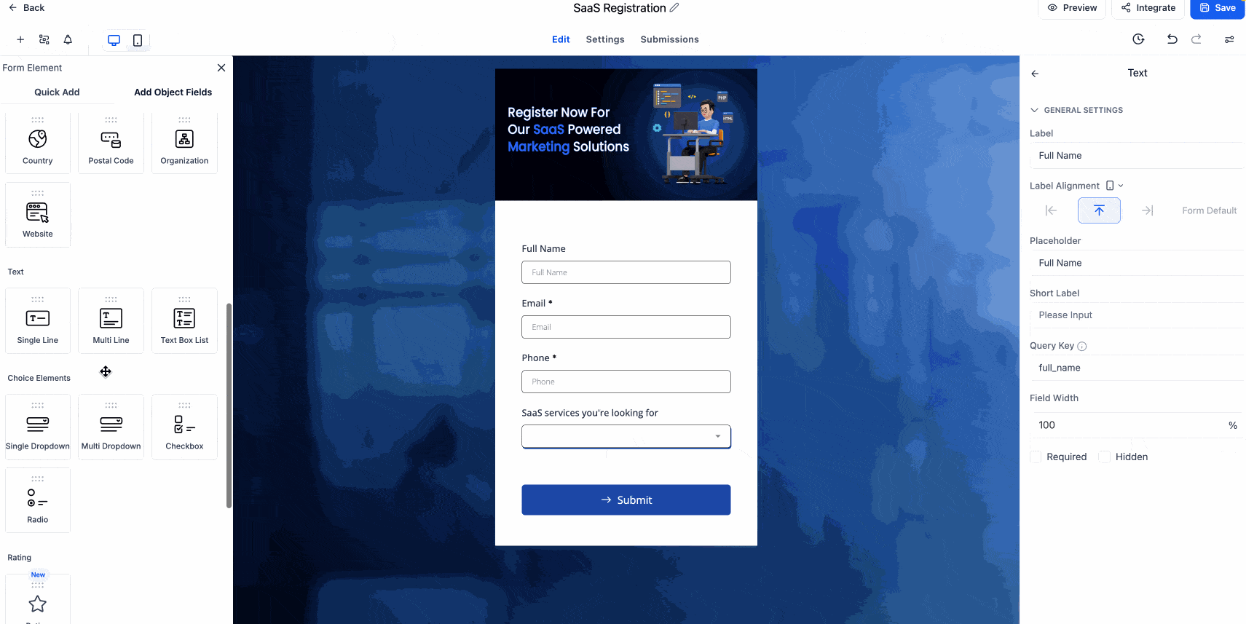
Text & Headings
- Select a Text/Heading block
- Use the device toggle in the sidebar to switch between Desktop and Mobile
- Edit text inline and adjust styles (color, font size, font style, etc.)

Terms & Conditions (TnC)
- Select the TnC element
- Toggle between Desktop and Mobile
- Edit the placeholder(s) using the editor
Why It Matters
Your forms, surveys or quizzes now adapt smarter to different devices with mobile-friendly text and layout controls. These changes help you create a more consistent and responsive experience without any extra effort.
Preview Desktop View
Was this article helpful?
That’s Great!
Thank you for your feedback
Sorry! We couldn't be helpful
Thank you for your feedback
Feedback sent
We appreciate your effort and will try to fix the article