3rd of December, 2025
Custom Dispositions: Choose an outcome for your call. Use it to trigger workflows
What’s new
- Post-call picker in the Web Dialer: select one disposition (example: Follow Up)
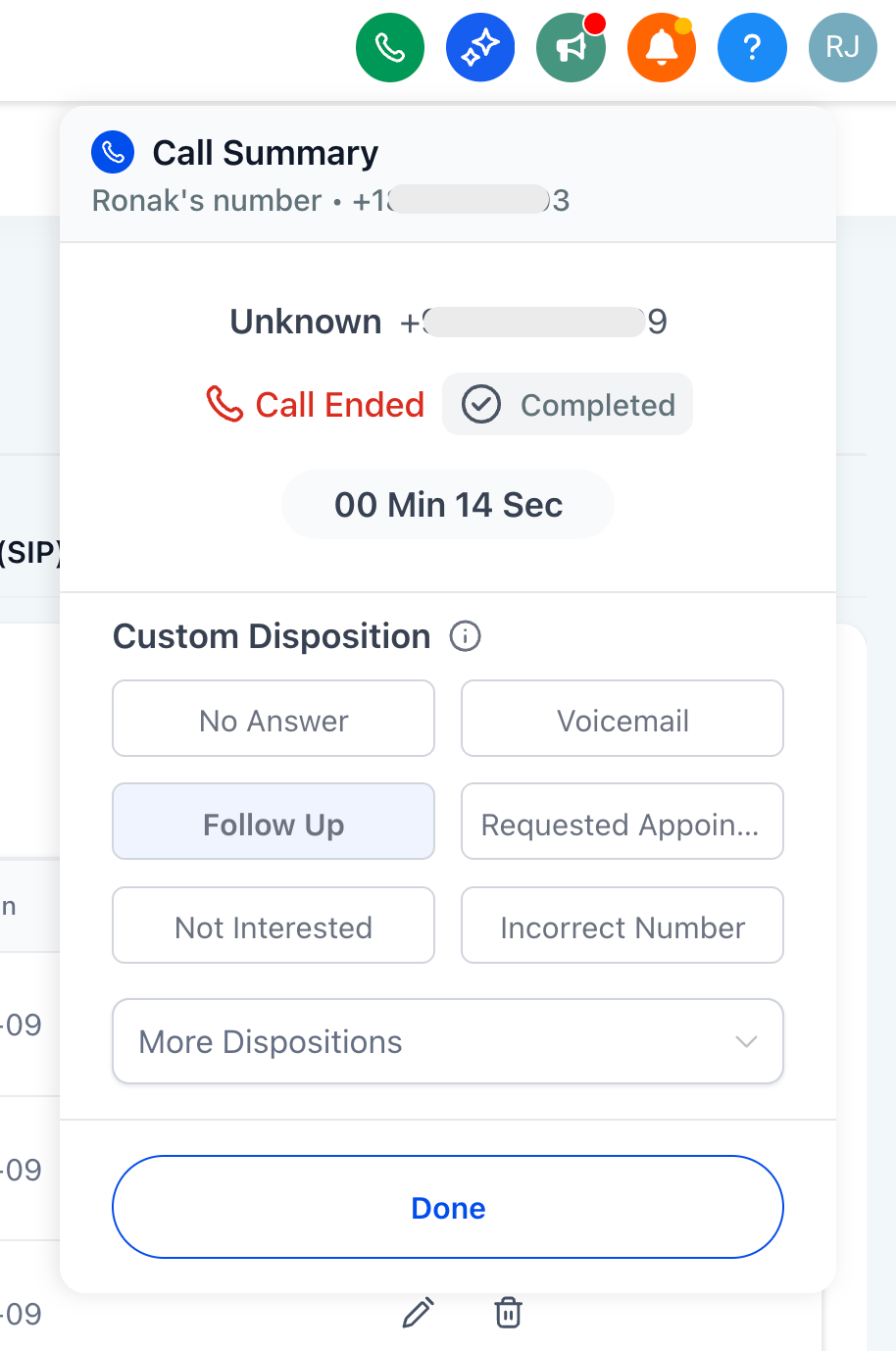
- Customizable: account admins can create, edit, and delete dispositions.

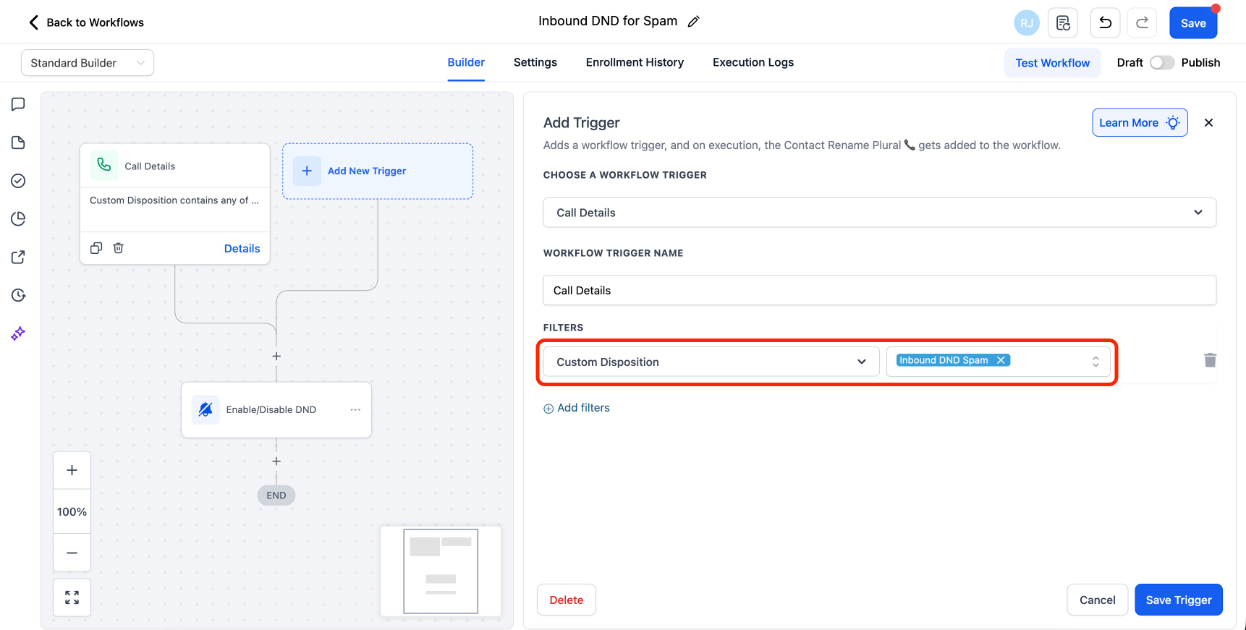
- Automation-ready: new Workflow filter under "Call Details" called "Custom Disposition" for follow-ups (send messages, tag, re-enqueue in Power Dialer, etc.)
- Saved to the record: disposition appears in Call Reporting table and filters (coming soon)
Why it matters
- Faster wrap-up -> more calls per day
- Cleaner automation -> triggers based on what the rep selected, not only system status
- Better visibility -> consistent outcomes you can query and audit (reporting coming soon)
How it works
1) Finish a call
2) Pick one disposition
3) Workflows fire immediately when the chosen disposition matches your automation rules
Setup (admins)
1) Go to Settings -> Phone System -> Voice -> Call Dispositions
2) Review the defaults and add or edit up to 10 dispositions total
3) In Workflows, use the Custom Disposition filter to define follow-ups
Examples
- Requested Appointment -> send SMS with booking link and create a follow-up task
- Follow Up -> re-enqueue into Power Dialer in 2 days
- Not Interested -> add a "Do not nurture – called" tag and remove from a campaign
Important for existing automations
- If you use Call Status to drive workflows, Call Dispositions may work better for you
- Renaming a disposition: existing workflows continue working with the new name
- Deleting a disposition: workflows referencing it will stop firing; update them first
PS: Mobile app support for Dispositions is coming in a few weeks
Was this article helpful?
That’s Great!
Thank you for your feedback
Sorry! We couldn't be helpful
Thank you for your feedback
Feedback sent
We appreciate your effort and will try to fix the article